
Alaaqat vs Respond.io vs Wati: Which Fits Your Team?
November 3, 2026 -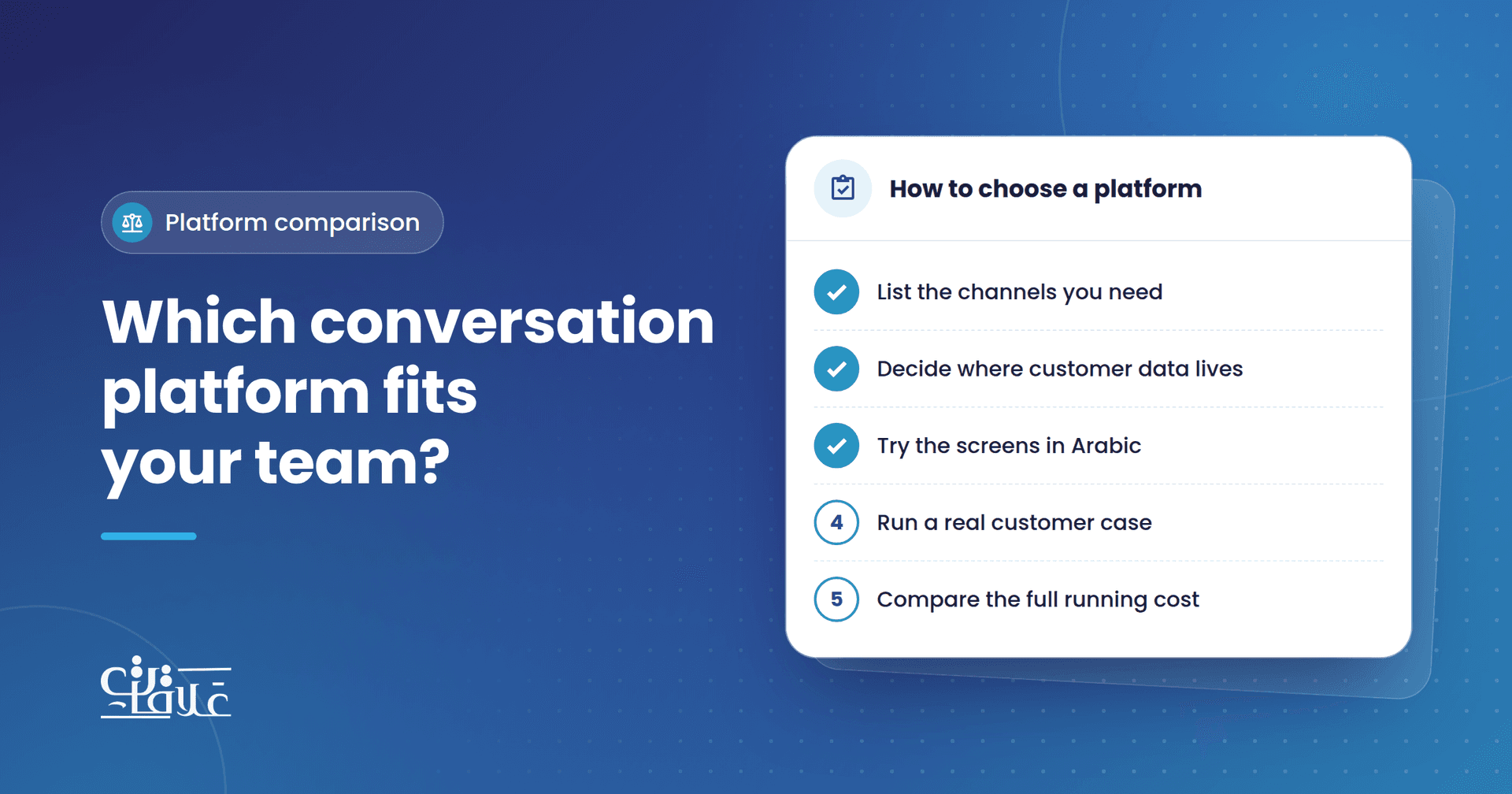
You have outgrown answering customers from one phone. Messages arrive on WhatsApp and Instagram, several people need to reply, and nobody can tell who is still waiting. Looking for a platform soon leads to the same few names, and feature lists rarely settle the choice.
This comparison of Alaaqat vs Respond.io vs Wati looks at something more useful: what each product was built to be, and what that means for your team. All three give your team a shared inbox. They differ in where they started and in how they relate to a customer relationship management (CRM) system.
You will come away with five questions to take into any demo, and a clearer idea of which kind of platform suits your business. What we say about Respond.io and Wati comes from how each company describes itself at the time of writing, so check their own pages before you decide.
Alaaqat vs Respond.io vs Wati: what is each one?
Alaaqat is a CRM with messaging built in. Contacts, companies, deals, tickets, products and invoices sit in the same place as your conversations, and the inbox brings your WhatsApp numbers, Facebook Pages and Instagram accounts into one screen. Its interface fully supports Arabic. If CRM is new to you, start with what a CRM system does.
Respond.io describes itself as a customer conversation platform. It says it is aimed at mid-market B2C businesses with high volumes of customer conversations, including businesses with several locations. It also says it is built to work alongside your CRM rather than replace one.
Wati says it started as a WhatsApp team inbox and has since grown into a customer engagement platform that covers other messaging channels. It presents itself as one place for marketing, sales and support, and lists connections to outside tools such as HubSpot, Shopify and Salesforce.
What stays the same on all three?
All three work with WhatsApp's official business platform, so Meta's rules apply whichever you choose:
- Templates: you start a conversation with a message template, and Meta must approve it first.
- The customer service window: once a customer writes, you can send free-form replies for 24 hours. After that, you need a template to reach them.
- Charges: Meta charges when a template message is delivered, with some exceptions, based on the template's category and the recipient's country. See how WhatsApp pricing works.
Meta sets these charges whichever platform you use. In Alaaqat, Meta bills them to the payment method on your WhatsApp Business account. Ask each vendor how the charges reach you, and compare them separately from the cost of the software.
So a clinic confirming appointments or a shop sending order updates works within the same rules on any of the three. What changes is how your team works inside them. For more on the platform itself, read using Alaaqat as a WhatsApp Business API provider.
How do the three approaches compare?
| What to compare | Alaaqat | Respond.io | Wati |
|---|---|---|---|
| Starting point | A CRM with messaging channels built in | A customer conversation platform | A WhatsApp team inbox, now a wider engagement platform |
| Who it speaks to | Sales, marketing and support teams | Mid-market B2C businesses with high conversation volumes | Businesses that sell and support through conversations |
| How it relates to a CRM | It is the CRM, with records linked to each conversation | Built to work alongside your CRM | Connects to tools such as HubSpot and Salesforce |
The last row usually decides it. Two connected systems let you keep a CRM you already rely on, with more to set up and keep connected. One system is simpler day to day, but it asks you to move your records into it.
Five questions to ask before you choose
- Where do your customer records live today? If your team relies on a CRM and wants to keep it, a platform built to sit beside it is a natural match. If your records are spread across spreadsheets and phones, one system may serve you better.
- Which channels must you cover? Alaaqat's inbox covers WhatsApp, Facebook and Instagram. Respond.io and Wati both list further channels on their sites, so compare each current list with what your customers actually use.
- How many conversations do you handle, and how many people answer them? A travel agency with three agents answering enquiries has different needs from a retail chain with many branches. Ask each vendor to show you a team of your size at work.
- Will your team work in Arabic? Ask to see the real screens in Arabic, and try them with real Arabic conversations. A feature list will not tell you how they read.
- What happens after the chat? Follow one case: a customer asks for a quote, buys, then complains. Check where the sale is tracked, who owns the complaint, and what the next agent sees.
When does each platform make sense?
- Respond.io makes sense if you are a consumer-facing business with high chat volumes, perhaps across several branches, and you want to keep your current CRM.
- Wati makes sense if you want a platform with its roots in WhatsApp that covers marketing, sales and support and connects to the tools you already use.
- Alaaqat makes sense if you want customers, conversations, deals and tickets in one system, in an interface your team can use in Arabic.
How this looks in Alaaqat
If one system is what you are after, this is how the work runs in Alaaqat, an official and certified Meta partner:
- Connect your channels. Follow the WhatsApp integration guide, or use WhatsApp Coexistence to keep the WhatsApp Business app on the same number. Your Facebook Pages and Instagram accounts connect too.
- Answer from one screen. Conversations > Inbox shows each channel as a tab. The contact panel keeps the customer's details, notes, deals and tickets beside the chat, and Canned Responses keep common answers consistent.
- Route each conversation. A contact's Owner and Communication Team decide who sees it. A workflow with the Auto Assignment action shares customer messages across a team, for example by Round Robin.
- Follow through. From the contact's page, open a deal with an Amount and a Deal Stage, or a ticket with a Status and a Priority.
- Reach customers at scale. WhatsApp Broadcast sends an approved template to the contacts you select by their properties.
When AI is set up for your account, the AI assistant can draft or rewrite a reply. The AI Agent Reply workflow action answers from your business profile and Knowledge Base, and hands over what it cannot answer.
Which one should you choose?
Alaaqat vs Respond.io vs Wati is less a contest of feature lists than a choice about how you want to work: a conversation platform beside your CRM, a messaging platform that grew out of WhatsApp, or one system holding both customers and conversations. Run the same real customer case through each one you shortlist, with the people who will use it every day.
To try that case in Alaaqat, create an account, or talk to the team about how it would fit your business.